
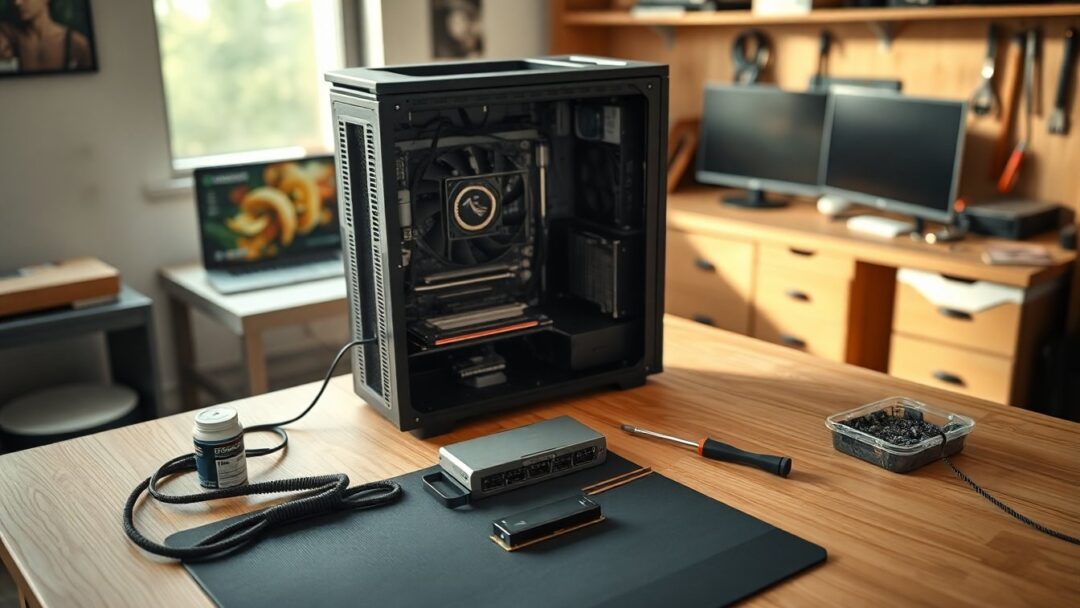
Buying a new gaming machine in 2026 can be confusing, but the essentials are simple: prioritize the right graphics card, sufficient memory, and fast storage. Our short answer for most buyers is a system built around an RTX 5070-class GPU, 32GB of RAM, and at least a 1TB NVMe SSD. If you prefer long-term flexibility, a local custom build usually outperforms many prebuilts because it avoids proprietary parts and uses higher-quality components. NVMe here refers to the high-speed PCIe SSD interface that dramatically reduces load times compared with legacy hard drives.
We write these recommendations from real-world repair and build experience at our Herndon shop. Seeing failed units on the bench taught us to value airflow, a trustworthy PSU, and a motherboard that supports easy upgrades. We also note that flashy features like RGB do not improve frame rates; prioritize core components instead. As an Amazon Associate, Fateka earns from qualifying purchases, but our suggestions come from hands-on repairs and builds rather than scraped spec sheets.
What to prioritize when choosing a gaming pc
Start with the GPU because it dictates the gaming experience. For stable 1080p play a minimum is an RTX 5060 or equivalent AMD card; for solid 1440p performance aim for an RTX 5070; and for comfortable 4K plan on an RTX 5080 or better. Upgradeability matters: systems built on standard ATX or Micro-ATX layouts allow future GPU swaps and RAM expansion. Also check the power delivery: a cheap or unnamed PSU is a red flag because a poor supply can damage multiple components over time.
Memory, storage, and cooling essentials
Gaming rigs in 2026 should ship with at least 16GB of RAM, but we recommend 32GB for users who run Discord, browsers, streaming apps, or heavy modern titles simultaneously. Replace or augment low-capacity systems early. For storage, skip any PC that still uses a mechanical hard drive as the primary disk; insist on a 1TB NVMe SSD minimum. Consider cooling and airflow next: well-organized airflow and a quality cooler extend component life and lower noise during long sessions. Finally, avoid paying premiums for aesthetics alone—allocate that budget to the GPU or PSU instead.
Top picks by budget (May 2026)
Below are our practical picks and the tiers they fit. These selections reflect what we would recommend to a customer standing in our store and are validated by hands-on testing and repair experience. Quick Picks (May 2026): Best overall iBUYPOWER Slate (Ryzen 7 / RTX 5070 / 32GB DDR5); Best budget Skytech Crystal (Ryzen 5 / RTX 5060); Best Lenovo Lenovo Legion Tower 5i (Core Ultra 7 / RTX 5060 Ti); Best premium Skytech Aqua (Core Ultra 9 / RTX 5070); Best custom Build at Fateka (labor from $149).
Budget ($800–$1,100) and mid-range ($1,100–$1,600)
In the budget bracket expect comfortable 1080p gaming and the ability to upgrade later. Our choice here is the Skytech Crystal with a Ryzen 5 and an RTX 5060, which offers a sensible starting point and uses standard parts for future memory or storage upgrades. If you can stretch the budget, the Skytech Storm with an RTX 5060 Ti or the iBUYPOWER Slate with a Ryzen 7 and RTX 5070 (our mid-range favorite) will provide superior 1440p performance and come with 32GB on select configurations.
Premium ($1,600+) and custom builds
Premium systems like the Skytech Aqua pair a high-end CPU (Core Ultra 9 class), RTX 5070, liquid cooling, and an 850W Gold PSU to deliver both 4K capability and workstation-level multitasking. For many buyers, creating a custom build is the best value: you select the exact motherboard, PSU brand, cooler, and case. Fateka builds locally in Herndon; we assemble, cable-manage, stress-test, and hand over a tuned machine. Custom build labor starts at $149 and local support reduces the friction of future upgrades.
After purchase: setup, maintenance, and local support
When your new PC arrives, the first steps are straightforward and impactful: update Windows and install the latest GPU drivers from NVIDIA or AMD directly, then remove manufacturer bloatware and trial software. Back up game saves and settings early. Consider ongoing protection: our monitoring offering, FatechWatch, provides continuous updates and threat management for $49.99/month. If anything goes wrong, bring the system to us for diagnostics, repairs, or upgrades—our shop also handles Lenovo warranty pathways if needed.
How Fateka can help
We offer custom builds, prebuilt optimization, storage upgrades, cooling improvements, data transfers, and troubleshooting from our Herndon workshop. If you want a local partner for parts selection and installation, call (703) 783-2050 or visit Fateka Computer Store at 585 Grove St, Suite G-10, Herndon, VA 20170. Hours: Mon-Fri 9-6, Sat by appointment. Last updated: May 2026.


